

Unagui Ads Manager

Turn your content’s traffic into predictable revenue with absolute control over your ad spaces and smart banner delivery.
Don’t let valuable ad space go to waste or clutter your layout. This plugin transforms your WordPress site into a streamlined ad platform, giving you pixel-perfect control over your inventory. Easily inject native banners within your content paragraphs and archive grids, or launch floating ads triggered by precise scroll depth or exit intent. With advanced scheduling, target restrictions by category or page, and multi-device rotation, you can serve the right banner at the perfect moment while tracking every impression, click, and CTR with real-time analytics.

Backed by our 30-Day Risk-Free Money-Back Guarantee

Core Features

Available in the free version of the plugin

Smart Placement Engine

Stop wrestling with code or manual shortcodes. Automate your ad revenue by native-injecting banners before or after content, between specific paragraphs, or seamlessly integrated directly inside your archive loop grids.

High-Converting Floating Ads

Capture user attention without ruining their reading experience. Create fully customizable floating banners with background overlays, tailored close buttons, and absolute control over frequency caps per session or days.
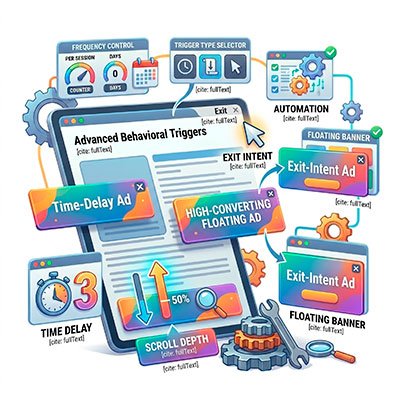
Advanced Behavioral Triggers

Serve your ads at the exact moment of maximum impact. Trigger your floating banners instantly, after a specific time delay, upon reaching a precise scroll depth percentage, or right before a user leaves your site with Exit Intent detection.

Precision Context Targeting

Deliver ultra-relevant ads based on what your audience is actively reading. Define dynamic display rules to restrict or allow specific ad spaces on the homepage, archives, specific categories, tags, authors, or individual posts.
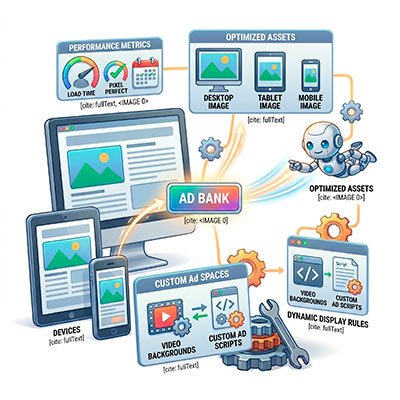
Multi-Format & Responsive Ready

Deliver pixel-perfect, fast-loading layouts on every device. Upload independent, optimized image assets for desktop, tablet, and mobile resolutions, or completely customize your spaces with video backgrounds and custom ad scripts.
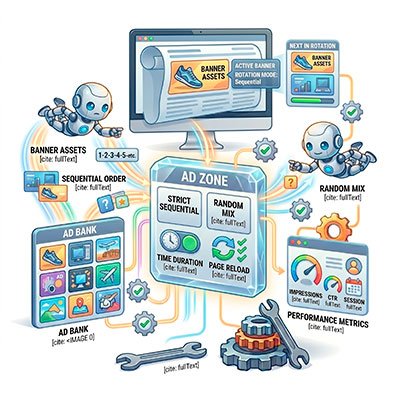
Bulletproof Ad Rotation

Maximize the real estate value of every single ad space. Assign multiple banners to a single zone and let the system automatically rotate them by time duration or page reload, using either a strict sequential order or a random mix.
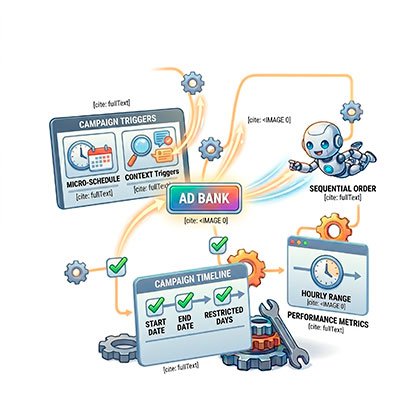
Micro-Scheduled Campaigns

Automate direct sponsorship deals for local brands with zero manual oversight. Set exact start and end dates for your banners, and restrict their visibility to specific days of the week or precise hourly ranges.

Hard Caps & Safety Limits

Sell fixed ad packages with complete peace of mind. The plugin allows you to set strict caps on total impressions or clicks per banner, automatically pausing the campaign the exact second the contractual goal is met.
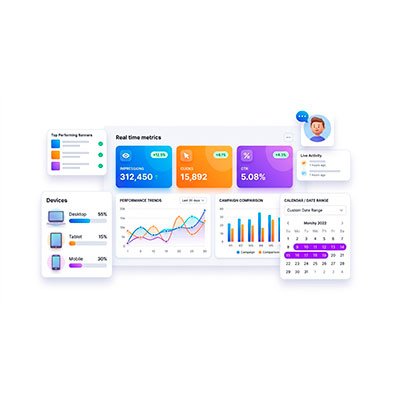
Real-Time Segmented Analytics

Monitor your inventory's performance under a microscope. Track impressions, clicks, and CTR in real time, filtered by custom date ranges and automatically segmented by user device type (desktop, tablet, or mobile).

One-Click Professional Reporting

Prove the exact value of your ad spaces to your sponsors. Export clean, visual performance reports featuring clear data charts directly into CSV or PDF formats in seconds—ready to send as a campaign wrap-up.


⭐ What Our Users Say

100% Risk-Free: Our 30-Day Guarantee

We believe Unagui Ads Manager Pro will completely transform how you manage your site’s advertising. If for any reason you aren’t satisfied within the first 30 days, we will refund your purchase in full. No questions asked.

Frequently Asked Questions

Is this plugin easy to use if I don't know how to code?
Absolutely. We built this plugin with an intuitive, clean interface so you don’t need to touch a single line of code. You can easily select your banners, set up dates, and choose exact display locations visually. It gives you the raw power and flexibility of an enterprise ad server, but it’s as simple as checking a few boxes.

Not at all. As developers, we are obsessed with Web Performance Optimization (WPO). Unagui Ads Manager Pro is engineered to be lightweight and features optimized asset loading. Your banners will display beautifully without bloating your database or adding unnecessary script latency, keeping your Core Web Vitals green.

Yes. The plugin works out of the box with any standard WordPress theme and is fully compatible with popular page builders like Elementor. You can place ads automatically (e.g., after a certain number of paragraphs) or use custom shortcodes to fit your layout perfectly.
Our Micro-Scheduling engine allows you to set strict start and end dates for your campaigns. Going deeper, you can restrict banner visibility to specific days of the week or even precise hourly ranges. This is perfect for time-sensitive deals, weekend promos, or running flash sponsorships.
Yes, and with complete peace of mind. You can set strict caps on total impressions or total clicks per banner. The second the contractual goal with your advertiser is met, the plugin automatically pauses the campaign instantly, ensuring you never over-deliver free impressions.
Yes. You get a built-in analytics dashboard right inside your WordPress admin dashboard. You can track impressions, clicks, and CTR (Click-Through Rate), and filter all data by custom date ranges to see exactly how your campaigns are performing.
Yes. Our analytics tracking is server-side and privacy-friendly. It measures campaign performance (impressions and clicks) without collecting or storing your users’ sensitive personal data, making it compliant with global privacy standards.

Your license is valid for one (1) live production website only.

Additionally, you are permitted to activate the same license key on one (1) non-production testing environment (staging, development, or local host) associated with your main live site. This allows you to safely test updates and customizations before deploying them live.

If you cancel your annual subscription, the plugin will continue to work until the end of your paid license period. After the expiration date:

  • You will no longer receive software updates or support.

The most common reason for this issue is that the Free version of the plugin is not installed or active.

The Pro version is built as an extension to the free version. It relies on the free version for all core functionality and infrastructure.

Please check the following in your WordPress dashboard:

  • Is the Free Plugin installed? You must have Unagui Recover Abandoned Cart for WooCommerce listed under Plugins > Installed Plugins.
  • Is the Free Plugin active? Ensure the free version is running before attempting to activate the Pro version.

Once the base plugin is active, you should be able to activate the Pro version without any trouble.